Product
Your agent setup. Built from open parts.
Real agent runtimes, your tools, and a remote workspace. Configure each layer in the dashboard or adapt the open-source implementation.
- MIT source
- Runtime adapters
- Your credentials
- Real CLIs
- runtime: hermes | openclaw | claude-code | codex
- provider: e2b | sprites | daytona | vercel
- model: supported router profile or native key
- loadout: skills + MCP + CLI + cron
- observe: logs + usage + artifacts
The building blocks
Use the parts you need.
Configure each layer in the dashboard, or change its source.
The Worker system
Keep the Worker.
Swap the machinery.
Give your Worker a job. Its identity, memory, files, and schedules stay with it as you change the runtime, model, tools, or cloud provider.
Your Worker is more than a chat session.
Reduced motion
Scroll to explore the engine. Every layer connects to your Worker.

 The durable coreYour Worker
Same identity. Saved context.
Agent runtime
Sandbox provider

Models & routing
Tools & skills
Agent runtime
Choose how it works.
- Claude Code
- Codex
- Hermes
- OpenClaw
Sandbox provider
Choose where it runs.
- Daytona
- E2B
- Sprites
- Vercel
Models & routing
Connect the intelligence.
- Anthropic
- OpenAI
- Routers
- Custom API
Tools & skills
Give it the right abilities.
- Skills
- MCP servers
- CLI tools
- Connections
The Worker keeps its saved state; each provider supplies its own capabilities. Migration transfers files and restarts managed work—not live process memory.
Give it a responsibility.
Set the job, connect its tools, and define its permissions.
Run it on your terms.
Choose a runtime and provider without rebuilding the Worker.
Come back to its work.
Review saved files, logs, and results from the dashboard.
Inside the product
Configure. Run. Inspect.
Follow a Worker from its first configuration to the sessions, files, and activity you can inspect.
Recorded product views, not live status. Versions may differ.
Configure
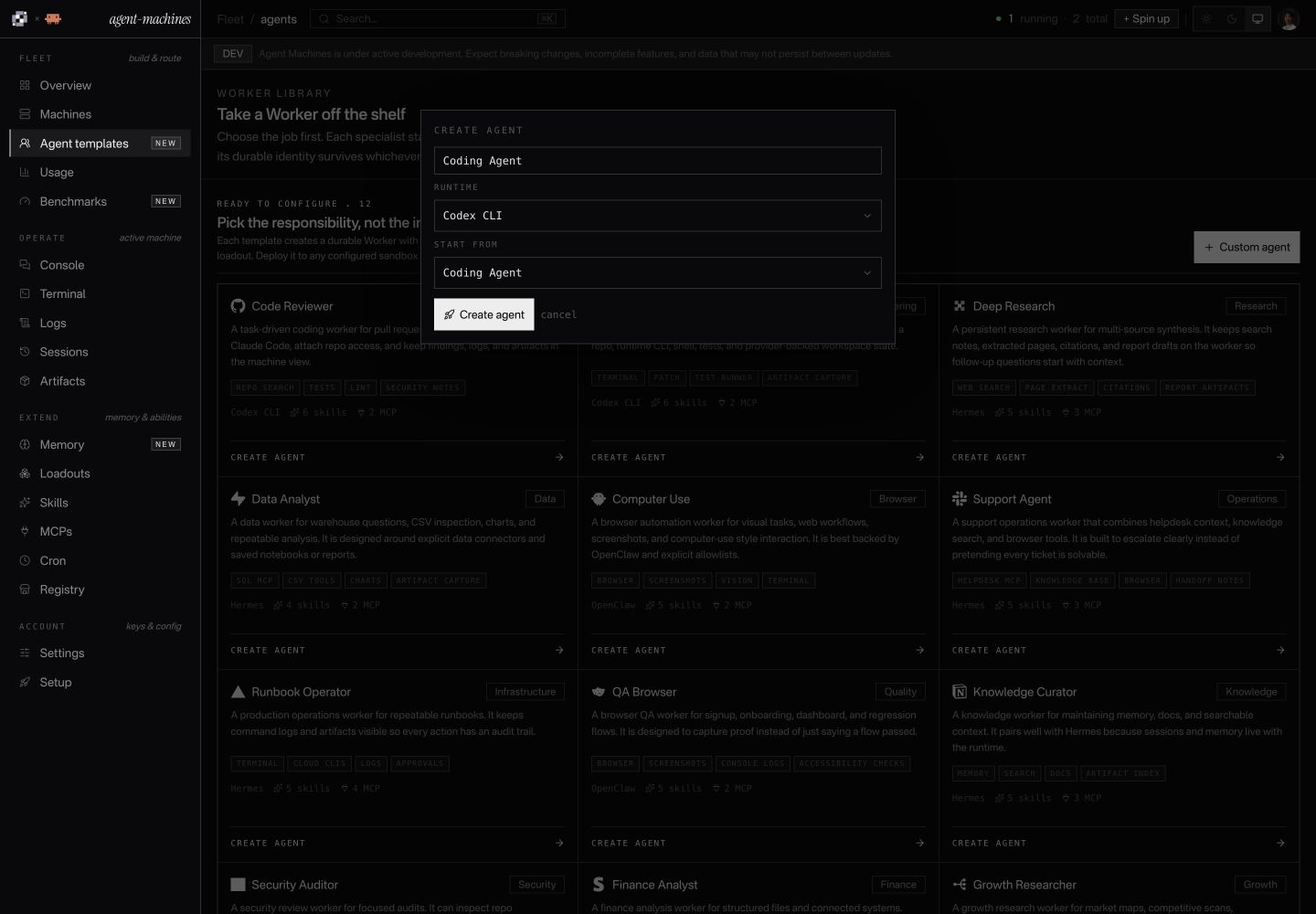
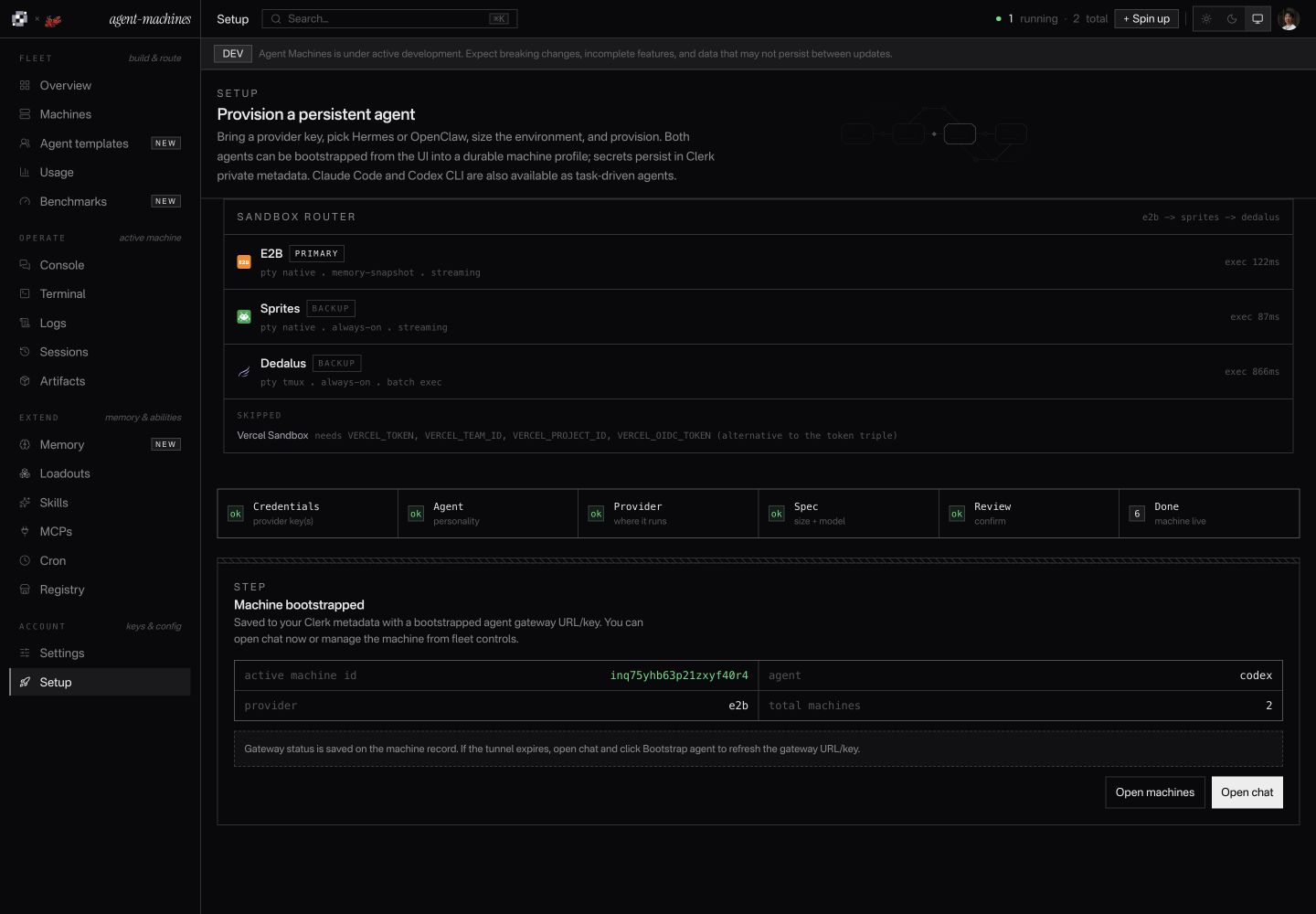
Run
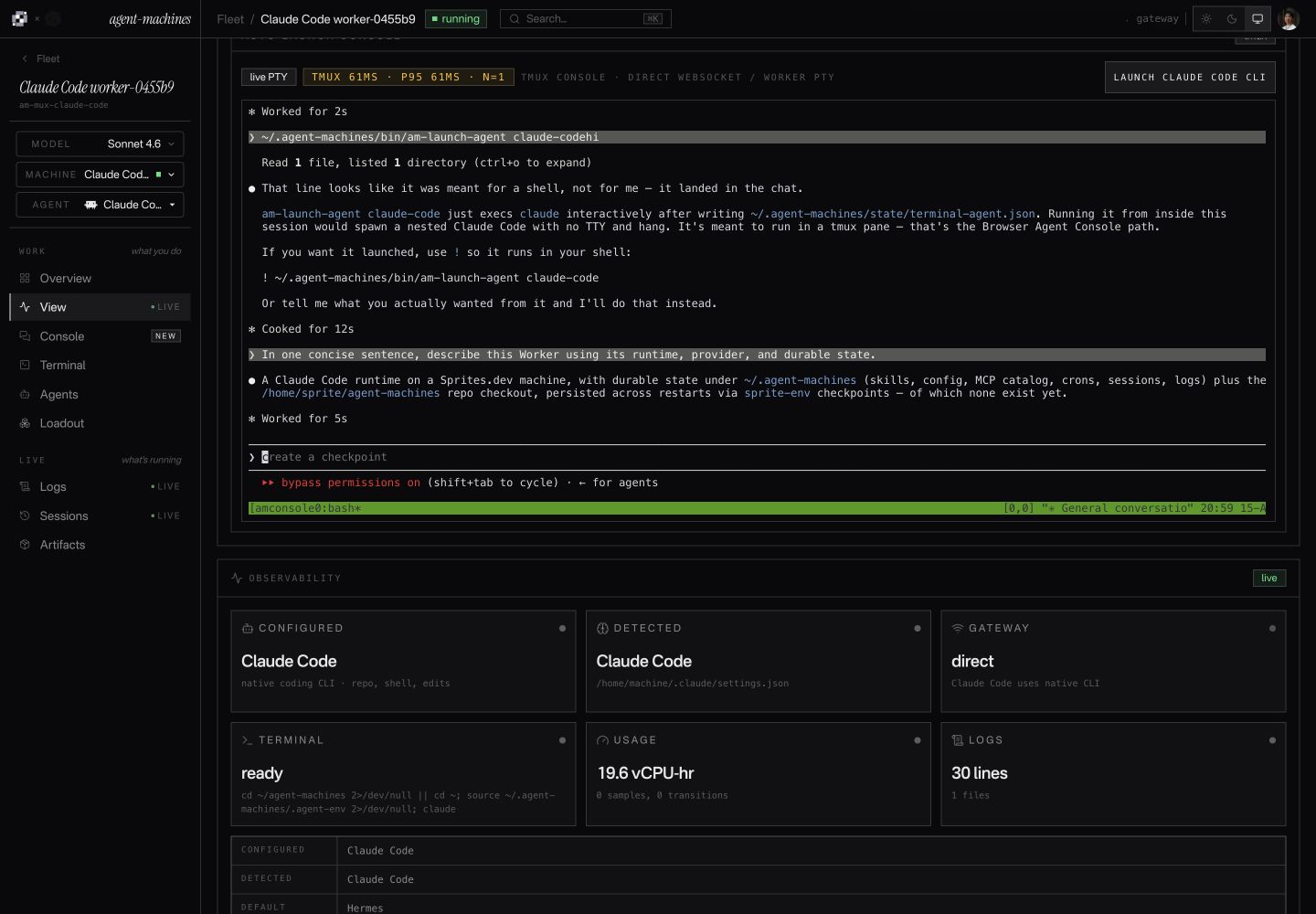
Claude Code on Sprites
View full sizeConversation, terminal, and logs in one workspace.
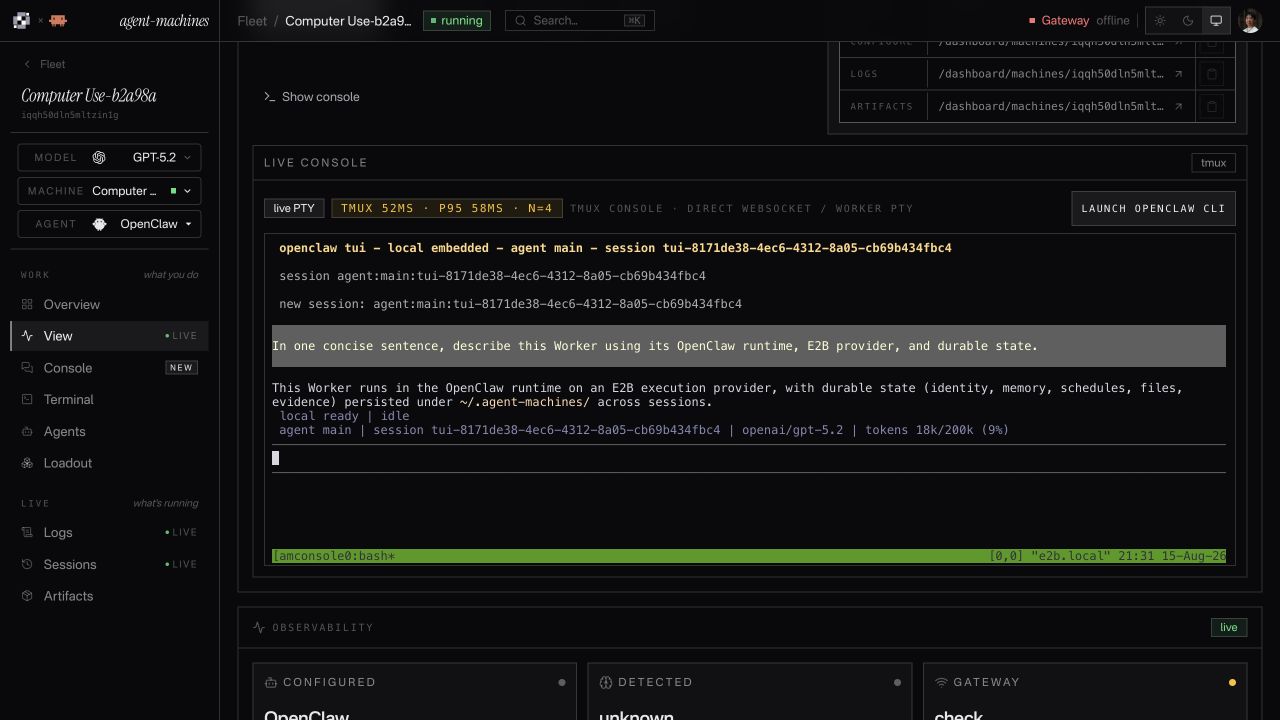
OpenClaw on E2B
View full sizeThe selected model and stored context, in the session.
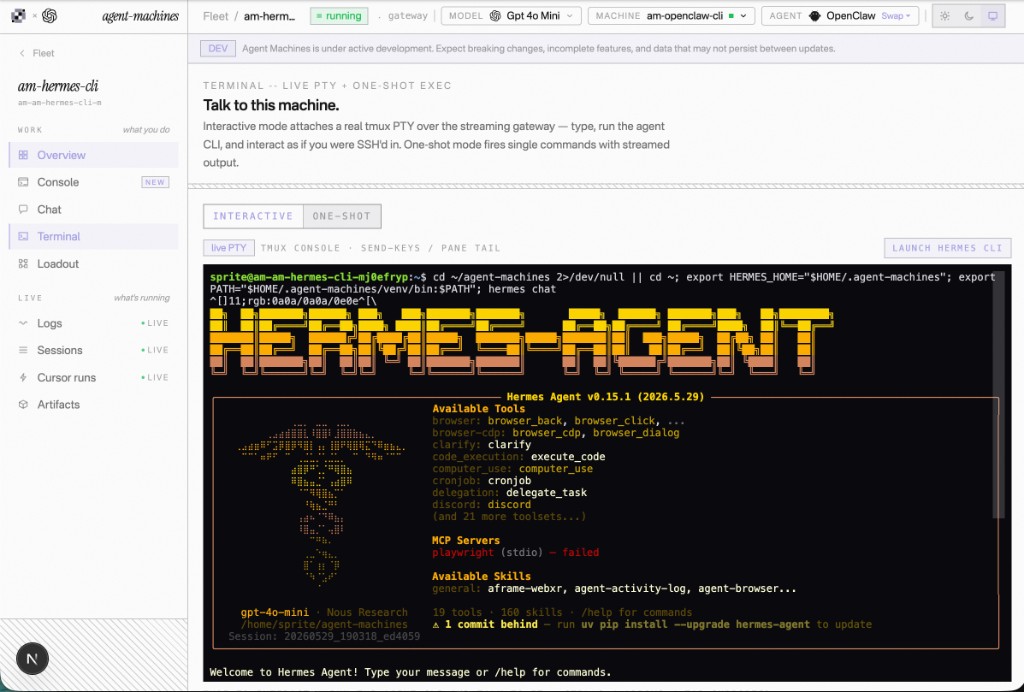
Hermes console
View full sizeThe native agent, inside your browser.
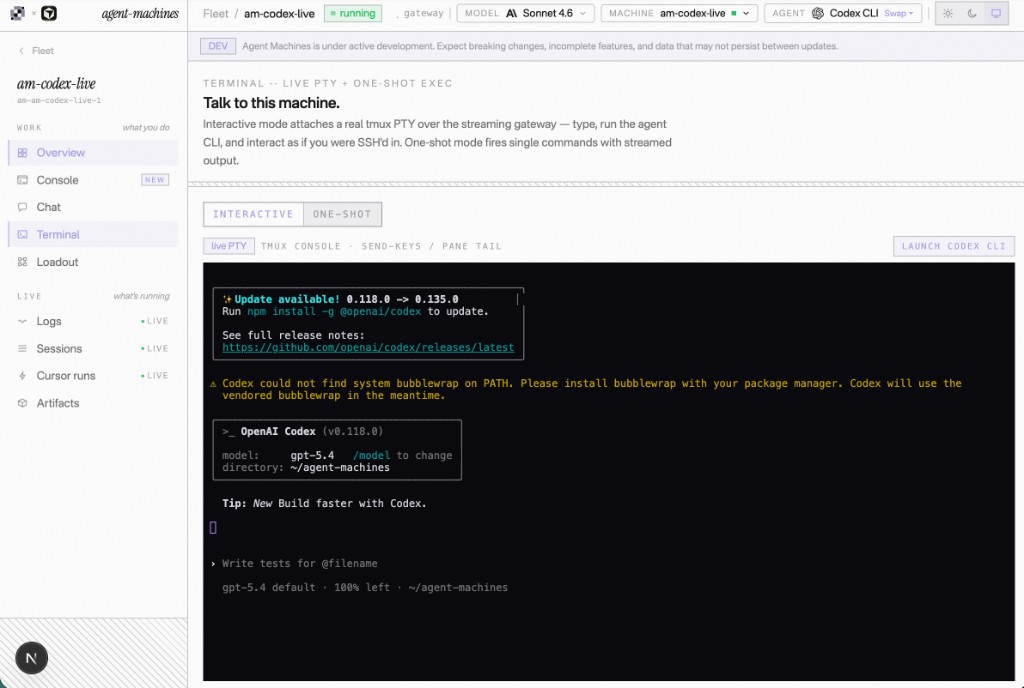
Codex CLI console
View full sizeYour project and terminal, attached to the Worker.
Inspect
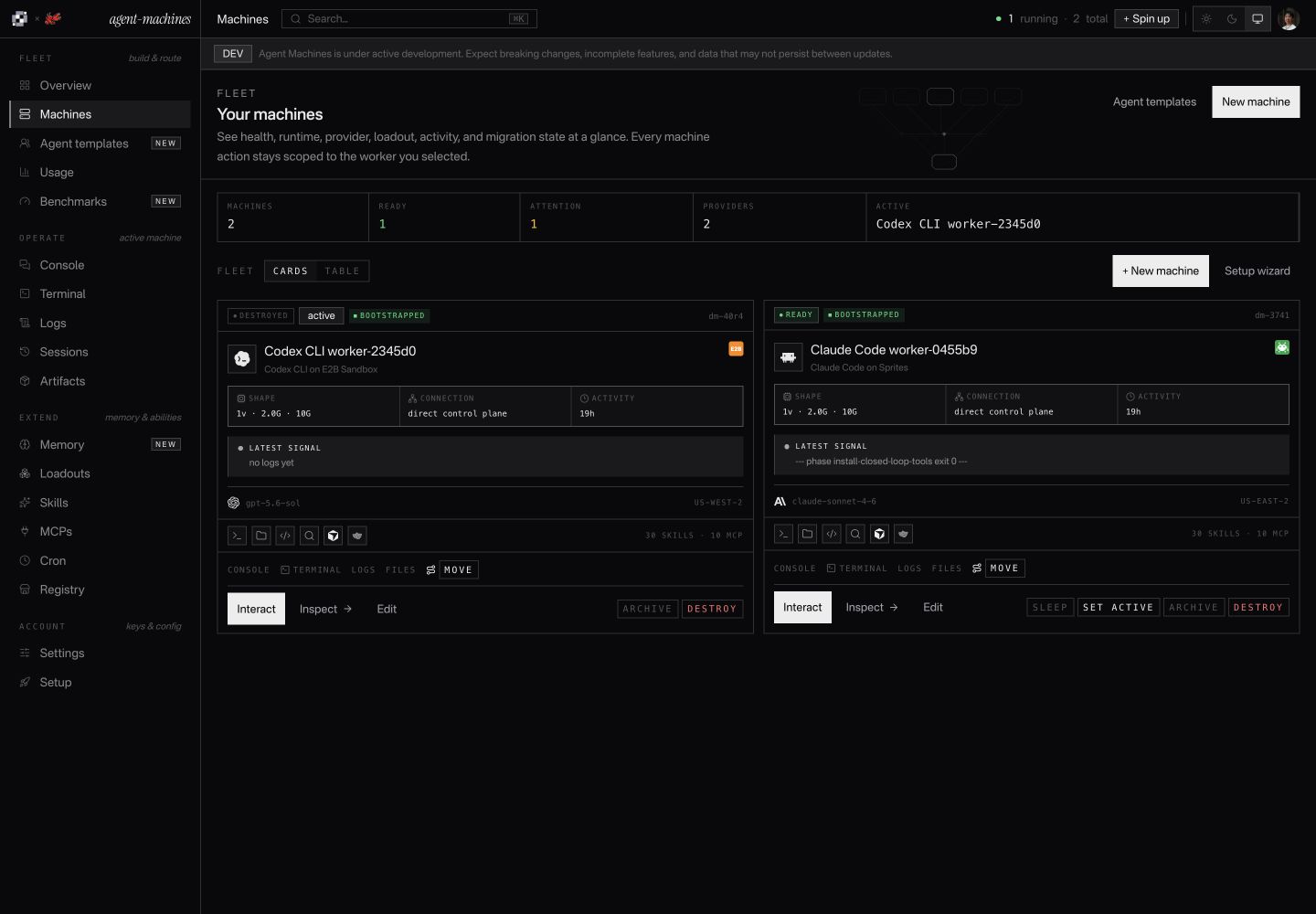
Fleet overview
View full sizeProviders, models, health, and controls—with sessions, logs, and artifacts one step away.
Worker capabilities
Build a Worker. Run a fleet.
Choose the agent. Give it tools and a place to work. Then manage its sessions, schedules, files, and activity from one dashboard.
- Agent runtimes
- 4
- Sandbox providers
- 4
- Skills
- 161
- MCP servers
- 39
Start with the job.
Choose a specialist, connect its tools, and decide how it should run.
Agent

Hermes
Model connection
OpenAI
Sandbox

E2B
Saved recipe
Research Worker
Worker recipes
Save an agent, model, memory, tools, and schedule together as a reusable specialist template.
Choose your agent
Run Claude Code, Codex, OpenClaw, or Hermes from the same dashboard.
4 agent runtimes
Choose where it runs
Launch on E2B, Sprites, Daytona, or Vercel Sandbox, with compatible backup providers for launch failures.
4 providers · Primary and backups
Connect your models
Bring native API keys, OpenRouter, Vercel AI Gateway, or a compatible custom endpoint.
Your models, your credentials
Keep work moving.
Manage the machine, schedule recurring work, and move providers when you need to.
Pause
Running
Paused
Resume
Where the provider supports it
Operation journal
- Requested
- Progress
- Result
Machine lifecycle
Launch, configure, repair, and retire a Worker through tracked operations. Pause and wake are available where supported.
Pause and resume
Pause supported machines and resume from persistent files when work is needed again.
Availability depends on the provider
Recurring jobs
Schedule prompts and commands, then inspect when they ran and what happened.
Saved schedules and run history
Move between providers
Drain managed work, copy durable files and state, then cut over while keeping the Worker's identity.
Not a transfer of running processes or RAM
Work right alongside it.
Open the real agent, follow its progress, and inspect what it produces.
codex
Summarize the notes.
Save a report.md file.
Saved session
Prompt and history
report.md
Artifact
Same Worker · linked context and outputs
A real terminal, in your browser
Use the agent's own command-line interface on the remote machine, with a terminal session you can reconnect to.
Chat and streaming commands
Send a prompt or run a command and follow output as it arrives, with streaming where supported.
Prompts, commands, and progress
Logs and sessions
Return to saved conversations, review command history, and inspect the machine's logs and activity.
Context beyond a single browser tab
Files and artifacts
Find reports, screenshots, and other outputs beside the Worker that made them. Inspect its installed runtime, too.
See the work, not just the answer
Give it the right tools.
Add repeatable procedures, connected services, and context worth keeping.
SKILL.md
Memory
Worker loadout
GitHub

Slack

Playwright
Connections require configuration and their own credentials.
Reusable skills
Give a Worker written procedures it can use again, stored as versioned SKILL.md files.
Connected tools and services
Configure MCP connections and service routes with the credentials each needs. Add Cursor delegation when available.
39 MCP servers · 27 service routes
A searchable tool catalog
Search the MCP registry, skills.sh, npm, Cursor plugins, GitHub, and URL manifests.
2,595 audited items
Memory and tool bundles
Keep instructions, agent docs, skills, and tool configuration together in a portable loadout.
Context that belongs to the Worker
See the whole fleet.
Know what's running, review activity, and compare providers using evidence.
| Worker | Agent / provider | State |
|---|---|---|
| Research | Hermes Daytona | Running |
| Build |   CodexE2B CodexE2B | Paused |
| Review | Claude Code Vercel | Stopped |
Recorded activity. Unknown usage stays unknown.
One view of your Workers
See each Worker's agent, provider, status, tools, and recent activity without juggling separate provider dashboards.
Usage and activity
Review recorded activity and sampled compute usage. Missing measurements stay unknown; cost estimates are labeled.
Machine-level and fleet-wide views
Provider benchmarks
Compare recorded startup, resume, command latency, and compute tests across providers.
Measured results, not a speed promise
SDK, API, and CLI
Manage Workers from your own code with TypeScript, REST, and command-line tools.
Built for people and software
Keep the important parts.
Preserve context and files, scope credentials, and make recovery visible.
Account boundary
Saved credentials
Server-side
Settings
Configured
Presence, not secret values, is returned to settings.
Process memory Pause behavior is provider-dependent
Persistent files
Memory · sessions · outputs
Files and context that persist
Keep the Worker's memory, runtime files, sessions, schedules, and outputs in its persistent storage.
Scoped credentials
Check credential presence and model compatibility before launch. Saved account secrets are stored server-side, not returned in settings.
Preflight is not vendor credential validation
A record of every operation
Follow lifecycle requests through a durable journal, with recorded failures and recovery steps.
Inspect progress and failures
Know what survives a pause
See the provider's actual persistence and pause capabilities. Persistent disk does not automatically mean preserved process memory.
Capabilities stay explicit